
How to Make a Bulin 47 AI Video From One Photo
Step-by-step guide to making a Bulin 47 AI video: pick the right photo, choose 480p or 720p, generate, review and download the MP4.
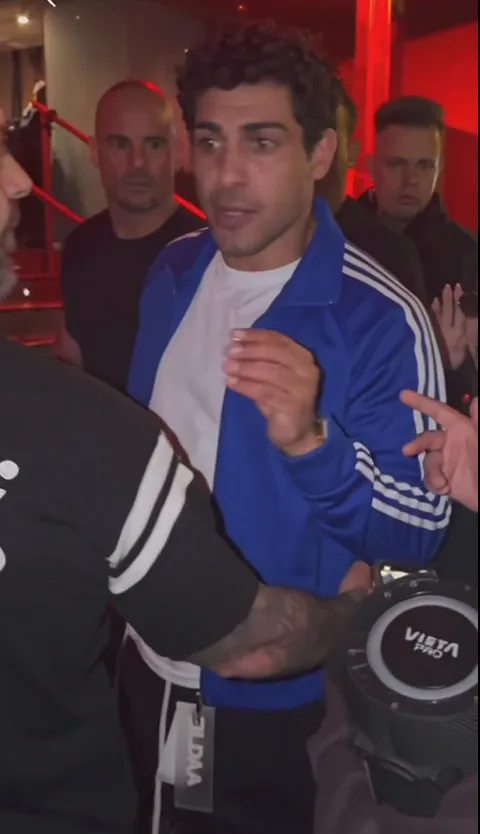
Want your own take on the viral Bulin 47 street freestyle? This guide walks through the whole Bulin 47 AI video workflow on AI Bulin47 — no prompt, no editing software.
What you get
A vertical MP4 of about 23 seconds. Your photo replaces the lead performer; the moves, the camera and the original freestyle sound come from the prepared reference.
1. Pick a good photo

- One person, face, hair and upper body visible.
- Sharp and evenly lit; no sunglasses, heavy filters or covered face.
- JPG, PNG or WebP up to 10 MB.
- Only yourself or a consenting adult 18+. No celebrities, public figures or minors.
2. Choose the quality
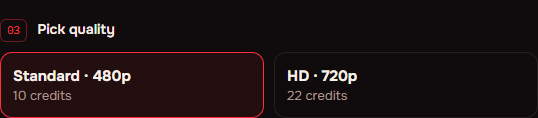
- Standard 480p — 10 credits.
- HD 720p — 22 credits (default).
3. Generate
Confirm the consent box, sign in with Google or an email link and press Make my video. Credits are reserved when you submit and returned automatically if the render fails.
4. Review and download
Open My creations, play the clip with sound and download the MP4. Check faces, hands and clothing during turns before sharing.
Credits
Packs are one-time payments: Single $9.99 (22 credits), Friends $24.99 (66), Creator $69.99 (220). See pricing.